

publishing a build
publishing a build
publishing is the final step in the release pipeline. once published, your build is live on spawnd and players can access it immediately from your game's page.
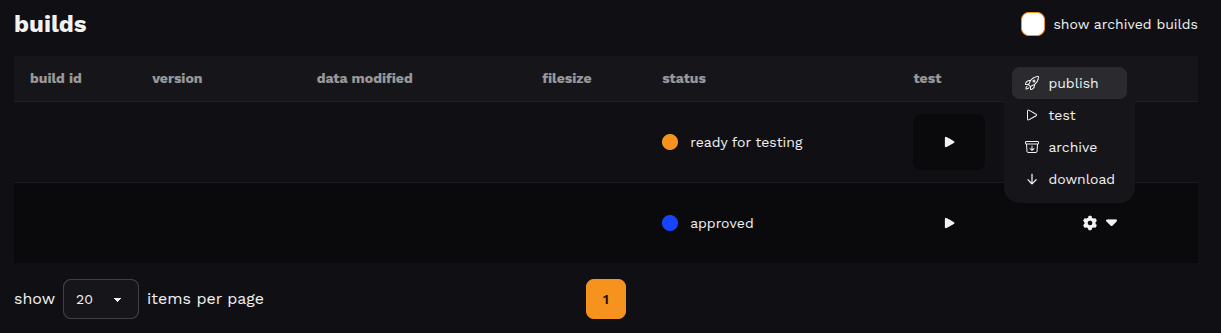
how to publish
- go to your game's builds screen
- find a build with approved status
- open the actions menu
- click publish
what happens after publishing
the build becomes available to players right away through your game page and embeds.
important rules
only approved builds can be published, and only one build per game can be live at a time. publishing a new one automatically moves the previous build back to approved. note that archived builds can't be published; unarchive them first if needed.
replacing a published build
to update your live game with a newer version:
- upload and test the new build
- request a review and wait for approval
- publish the new build – the previous one will be moved back to approved automatically
Updated about 2 months ago
Did this page help you?