

multithreading support
multithreading support
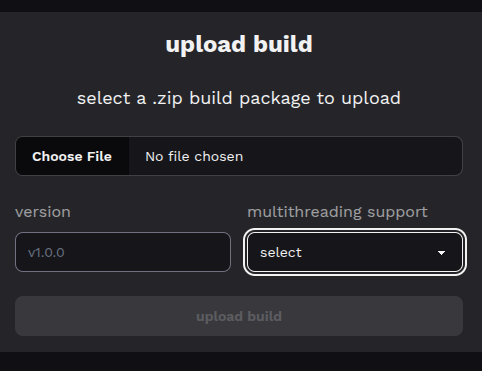
when uploading a build, you must inform its threading mode. this tells spawnd how your game handles execution threads, which matters depending on where it runs.
threading modes
- single – the game runs in single-threaded mode only
- multi – the game uses multiple threads (e.g., Unity builds with multithreading enabled)
when does this matter?
on spawnd.gg, this setting has no impact. your game runs normally regardless of the mode selected.
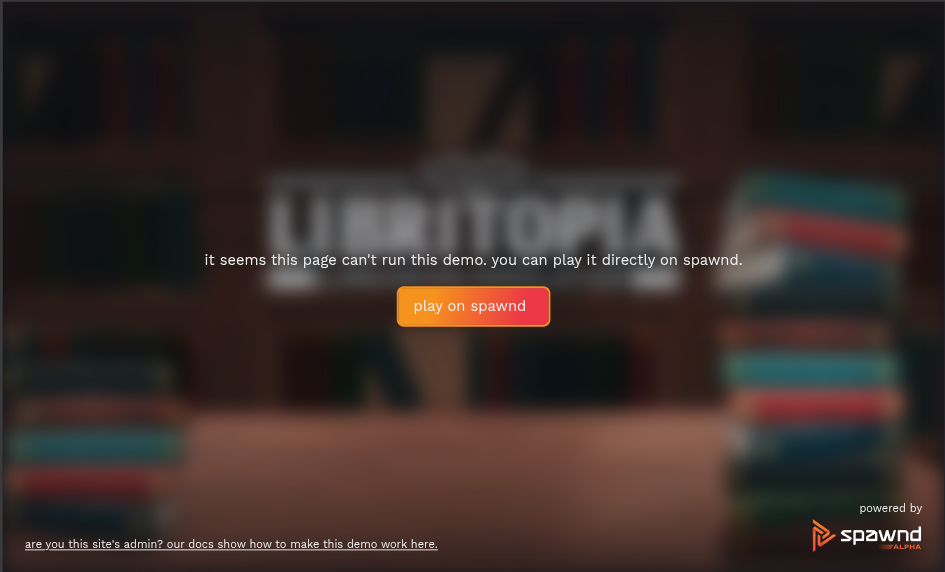
the difference shows up when your game is embedded on external websites using spawnd's embed. multi-threaded builds need cross-origin isolation to work properly in the browser. when your game is embedded on an external page with disabled cross-origin isolation, a blocked state with a redirect to the game page inside the spawnd.gg environment will appear instead.
what is cross-origin isolation?
cross-origin isolation is a browser security policy that enables features like SharedArrayBuffer, required for multi-threaded WebAssembly execution.
for it to work, the website hosting the embed must serve these HTTP headers:
Cross-Origin-Opener-Policy: same-origin
Cross-Origin-Embedder-Policy: require-corp
a full guide on enabling cross-origin isolation can be found here.
without these headers, a multi-threaded build may not run correctly in the embed.
how to choose
if your game doesn't use multithreading, select single. if it requires multithreading, select multi – but keep in mind the embed limitations described above.
how do I know if my game does multithreading?
it depends on the engine you're working with. if you are not sure it's likely you're single-threaded, but we recommend going through your engine's official documentation and forums for further guidance.
Updated 6 months ago